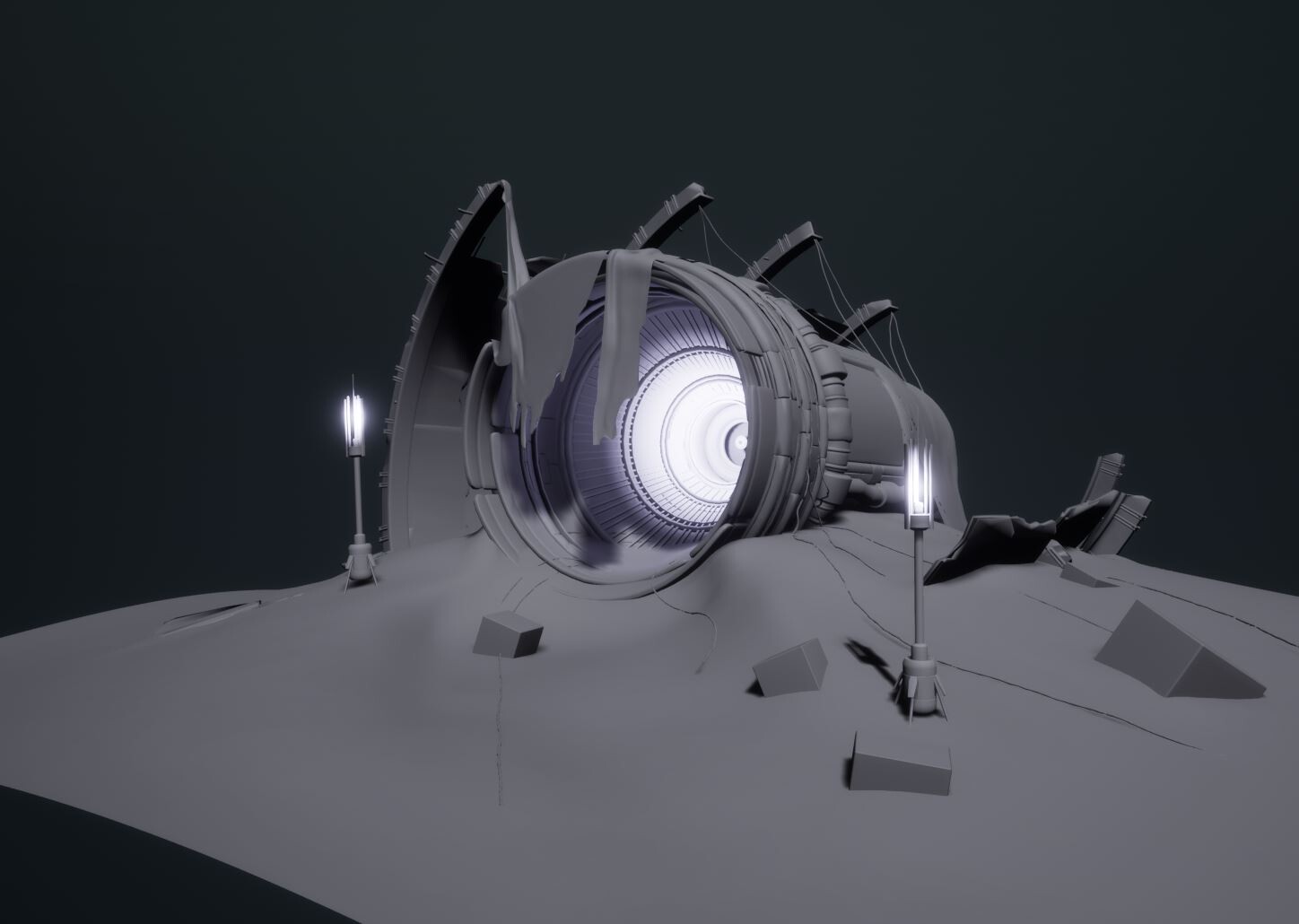
Crash Site Diorama- how's it going?

General / 31 January 2021

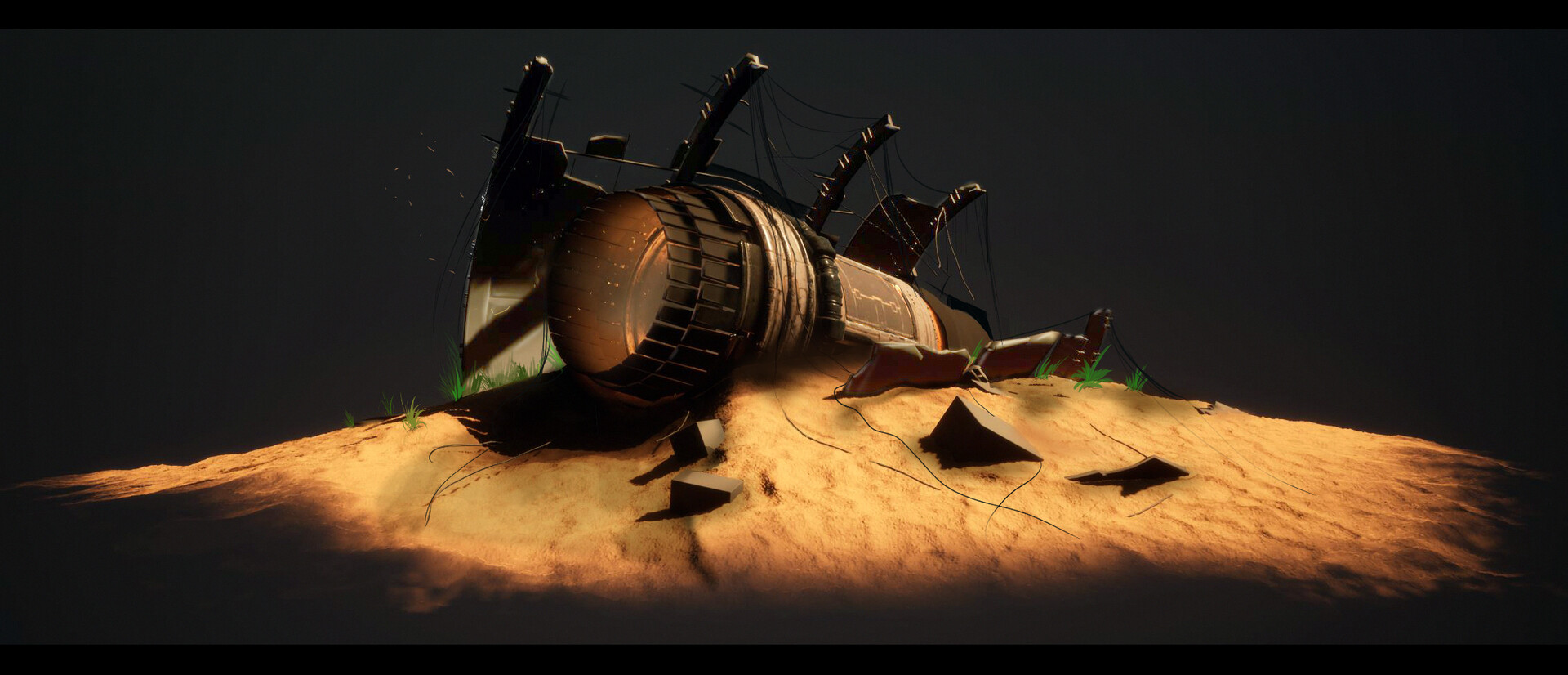
Unfortunately this week, I haven't put as much time into the project, but I've still done some productive stuff that I think is pretty useful, helpful and worth sharing :)


I've been spending a little time doing some painting over the scene; this has helped me define the colours better as well as quickly paint in some foliage to get a rough idea on where in the scene this could work well. furthermore, adding these wires into the paint over meant for much quicker iteration on the silhouette than if I was to commit to doing this in 3D from the start, this took a few iterations and maybe 20 minutes or less, where as experimenting with this process in 3D initially could have been very tedious and much longer.

I'm pretty happy with the direction that this is heading in, I feel confident that I can bring these natural elements into the scene to add a breath of life into the sci-fi scene.

More updates to come soon as I make more progress!


Report

Crash Site- Progress check

General / 18 January 2021

Hey! So to update progress on my recent diorama project- I've now added some very basic materials, changed a bit of the silhouette and added some new blockout meshes; I think getting this into unreal engine has helped me get a better understanding of how this scene is piecing together- there's still tons of work to do, but thanks to regular feedback I've been able to get some fresh perspectives on the project and able to make quick improvements. 


From here- There's still loads of work needed to be done, props, foliage, material creation and much more, but I've found that through  doing some initial basic iterating without setting anything in stone, I've been very flexible in making changes to the scene.

I'll be doing a much more in depth breakdown about my workflow and approach to this soon, until then enjoy a progress image!


Report

Crash Site Diorama- Blocking out

General / 12 January 2021

Recently, I've been spending a little more time on a personal project; I've been feeling so inspired to get something different onto my artstation, and I thought having a go at something sci-fi might just do the trick!

This entire experience so far has been a HUGE learning curve; I've been blocking all shapes out in Zbrush, primarily using the Zmodeller tool, and now working to begin getting all the rough shapes into unreal engine; from here I'm going to work on refining the compositions and further improve the models.

Direction:

So far, I've only been gathering some references to add to a pure ref file; but now to narrow the scope of where this project goes I'll be throwing together a form of art bible which I'll be able to throw together for my next blog post.


I always like getting my stuff into engine; it really helps give a sense of scale, space and composition; working in a diorama style, I'm going to be really pilling in my focus on the visual fidelity and story telling in the piece.


Report

Sculpting Practice

General / 15 September 2020


Hey, another blog!


Well following the last blog post, I wanted to let my mind free go with some concept sculpting! I must say doing this over the weekend was a lot of fun. I had the chance to experiment with the zbrush 2021 dynamics system which I personally found to be a phenomenal and SO user friendly it was great and fast to iterate on.


All the forms so far are still very rough and place holder, Currently i'm just trying to capture the main feel for composition in the sculpture with an interesting silhouette and visual language; I'm trying to capture a certain sadness about the image, I don't necessarily feel that this has been completely achieved yet, but I do think it's going in the right direction. 

Next steps for this little concept sculpt is to work in some more interesting background elements to push the complexity of the circular shapes and give a better silhouette.

But, I  couldn't do a blog post without a quick keyshot render of the current WIP!


Report

Diorama- Concept stage

General / 02 September 2020

Recently, I've been playing around with multiple different ideas. Trying to engage in more personal projects; I've decided to work on a diorama styled environment. Seeing as I haven't done one in quite some time, I thought it would be interesting to see the visual fidelity I can achieve in this.

After playing games like dark souls, and mortal shell, I wanted to create something that had a similar tone and feeling; creating a throne with a skeleton king sat in it, candle lit and broken down architecture should do the trick right? Well maybe, maybe not! To top that off, I've always been a fan of games that have used 'floaty islands' In their game play, such as dishonoured. So this gives me the opportunity to give it a go myself with my own take on it.

For now, I've been doing something a little out of my comfort zone, concepting my environment from a quick UE4 blockout, and then doing a paint over in Photoshop, this has been a good learning experience, being able to sketch out some ideas allows me to quickly iterate with different compositions that I could translate into my 3D environment. By no means am I a master 2D artist, But it's definitely an interesting change of pace which I'll be looking into more in the future in hope that it will feed back into my 3D work and help me create better, more visually interesting environments. 


  Next Steps:


3D Time! I'm going to start to work on some of the primary assets in the environment; the Throne, Floaty Island, light fixtures and Window structure. I'm going to leave the skeleton for the last 'finishing touch' I think adding  this will breathe a lot of character into the environment so I want to take my time in getting the execution right with it. I'm confident I'll be able to get the rest to a complete stage much faster and therefore will be quicker to get the overall scene's setting and intention translated into the 3D environment.

Report

Experimenting with Rendering in Keyshot

General / 07 August 2020

In this blog I'll briefly talk about my most recent personal project, what I'm planning to do with it next and my goals from doing it.

The primary goal of this project has been to create an interesting sculpture that gives off emotion, has a strong unique visual language and very strong composition. To do that, I've had to focus on the composition, not only in the render, but the composition and posing of the statue that I've been making, don't get me wrong, this still requires a great amount of work and many more concepts and iterations before I'm happy with the final result.

To achieve this current render I have, I simply rendered the model using the Zbrush to Keyshot bridge, it's very simple but I think it's rather effective, I've been able to do some basic material set up and lighting inside of Keyshot; and some post in Photoshop too!

Next steps will really be me going in and refining some of the rough forms I currently have; bringing in those medium and higher frequency details into the model, I'm happy with the colours I'm using in this piece, it feels very minimal but effective so I won't likely change this too much. But I will still be looking to improve the overall composition.


Report

Sculpture study- Initial scultping

General / 28 June 2020

Following my previous blog post, I've been doing a lot of thinking of different projects I want to sit down and do in my free time, I decided to go forwards with an entirely different idea.

I'm now looking to create a small diorama like environment that is set in an artists room, where they create clay miniatures, paintings, drawings, and even does some creative writing. This scene is going to be set during the mid point of the day where the artist takes a lunch break, but keeps all his equipment out ready for when he gets back.

Here's a little image of the miniature sculpture that will be set on the table. 


  Since this sculpture is still very early in development, I'm playing around with different shapes and forms that could work well for the composition. This part of the sculpting process is what I enjoy the most, I like keeping very free and non refined shapes that give me more control over the ease of iteration in the general silhouette of the piece.

Report

New personal projects; Creativity and learning

General / 21 June 2020

It's honestly been a while since I've been able to sit down and commit some time into working on a personal project. So to break that cycle, I started mocking up some concept sketches and blockout environments. I've wanted to iterate more and experiment with different blockout ideas to help my creative thought process. This then will give me different options of a project to take forwards and develop in it's entirety.


Blockout environment 1:

From this short study I was able to convey a sense of feeling and emotion even at a blockout phase. I really just wanted to make a Double bass, but it happened to turn into a much larger scale environment! 


Blockout environment 2:

I've been playing a lot of CONTROL recently, from which I found myself heavily influenced by its art style, I want to create a small brutalist art display with a clay sculpture focal point. 


With these blockouts, I've been able to experiment with colour, shape and form, due to it being in the early stages of the projects, It's been very quick and easy to iterate on. For my next stage of development, I plan to continue with iterating on the blockouts of these scenes and ground these ideas more into reality; from then I'll work out a production plan for creating these environments and begin to refine the details in visual story telling.

Report

Grads In Games- The final week of the project!

General / 22 January 2020

Over the past week I've been incredibly busy which had put a short stop to the production of my project. However, with now a week less on the project, there is some extra things to include into the project before I'm satisfied with it's completion. Due to the time restraints I've made it my priority to finish the pillars in engine and the giant temple door. This was there is no grey left in the scene at all and all architectural elements are in place.

In regards to stretch goals I've met some of them; such as the decorative Buddha trims and the giant heads. There are some extra elements such as foliage that I would really like to include, as well as vertex blending materials for a higher contrast in material variation. 

But reviewing all the work i have managed to do for this project, I believe I met my goal in creating something that has really strong art visuals, as well as successfully experimenting with dealing with larger environment assets.

Progress and current focus of the project:

Detail Lighting

Lit

In this project in particular I've been trying to push the lighting in the environment; Creating stronger contrasts for a dramatic appearance. Creating a hole in the ceiling allowed lighting to spill through the roof and create the contrasting lighting colours. I've mainly played around with the light bounces in the scene, this is helping with the general illumination of the room and preventing from areas being completely lost in darkness.

Base Door:

Very quickly to visualise the doors I used the same method as the rest of the environment by using the tiling base colour and unique mask to create grunge variation. This can certainly be worked into, but for getting fast coherent results it works really well. I used references of some enormous temple doors. In terms of outside environment, I believe these doors signify a greater expanse beyond them; a massive temple. and due to the way the environment has been made, there is room to be able to further expand with all the modular geometry. 


Report

Grads in Games- Lighting, VFX, Ganesh, LOD's and even more!

General / 12 January 2020

So as my Grads in game project is starting to draw to a close, there's a few things left to do that will complete the project. For me this project has been about achieving a very rich in detail environment, that focuses on breathing life into an environment. So to do this, adding some VFX and nice lighting is absolutely something to be included!

VFX:

This Image quickly illustrates a few of the key components I've added over the last few days to give a sense of life in the environment. It shows some of the VFX I've created, the lighting build with a god ray creating contrast, as well as the centre piece with a coherent texture pass that sits inside of the environment well.

The key VFX made for the environment are as followed: Fire, Smoke, Embers, and Dust particles. These are all being emitted from Particle systems. I wanted to stay inside the engine as much as possible, so apart from creating a few alphas most of the VFX was done through blueprinting inside of UE4, and I was quickly able to experiment with scalar parameters to reach a result I was pleased with.  

These where originally set up as stretch goals. However, once I saw that the project scope was achievable in the time that I had left to complete this environment. I decided to begin delving into the VFX and lighting on the environment. These are both areas I'm not massively experienced in; therefore investing a little more time has been beneficial to refine my skills in those particular disciplines.

Fire node Graph:

After working into the fire material, I cleaned up the graph a little to make it easier to navigate. The shape is the primary thing that drives the believably of the fire, and I found a good way to give the sense of fire flickering is to have a basic shape which is effected by an alpha offset (clouds noise to give lots of variation) Having this panning will distort the original shape based on the panning clouds texture. To give more control I set it up with parameters that could control the scale of the clouds as well as the alpha threshold. If I have more time I would like to go back and refine the material a little bit more. giving more parameters to experiment with and push the overall look.

Ganesh:

With very pressed time left for the project to be complete I needed to revisit my Ganesh statue; I wanted complete control over the polycount in engine through LOD's- I exported the mesh as 4 separated pieces; doing this meant that if I was only looking at one of the pieces the rest was being culled and it would help the project run a little easier. Furthermore, I decimated the mesh to a poly count which I wanted, this gave me faster accurate results for the mesh to quickly go into the engine. From this point, I was able to do some quick automatic UV process's and with a few materials I was able to reach a quality that worked coherently within the environment. 

If I have enough time to invest into the project once my other key elements are completed. I want to return to this piece and refine the UV's as well as the tolopgy.

Polycount and LODs:

At it's highest LOD all the pieces together amount to around 200k Tris. Which may seem a lot. However, I'm utilising the LOD tool inside of Unreal engine- this is a screen-based solution which swaps out your mesh for another version of your mesh with a lower poly count. I'm also using the triangle reduction tool- in some instances I found the poly count to be too much, so I used the triangle reduction tool to decrease the poly count directly in the engine. This does help the performance of the game, the only thing it impacts is the disk space it takes up. and for a hero asset it's easier for me to directly control the LOD's and the reduction inside of the engine as supposed to back and forth in an external programme.


Lighting:

A very key factor that has pushed the overall look is the lighting in the scene. I've spent the last few days working on the lighting with post process's and colour grading.

Colour grading:

  Inside of photoshop I was able to take a high resolution screenshot of my scene, and then using various post processing effect I was able to overlay a colour look up table and colour grade the scene to an exact point of which I wanted.

  LUT


What is left of the project?

I want to finish the project in the next week. So, to complete this project I need the following (Only the first priority):

.Lighting polished

.Door into the environment 

.Final Build

.Pillars Fixed

Once these have been done, I can look at revisiting and polishing up some other elements in the environment.

Report